
NAT Type Detection Tool
Detect your network NAT type to determine P2P connectivity and remote access capabilities
Next time just type nat.17nas.com to open this page — no need to remember the long URL.
Ready to Test
Click the button below to start detecting your NAT type
Quick web test: waiting to start
Your NAT result will appear after the test starts.
Based on browser WebRTC and 17NAS multi-node STUN observations
Current network type: NAT3 - Some restrictions apply
Application Compatibility Assessment
How the web test determines connectivity

17NAS NATScope for Android
Native Android client for more detailed NAT analysis
For Android users who need more complete UDP probing. The command-line version is also available from the desktop tools page.
View the command-line usage guide →Understanding NAT Types
The sections below explain how Full Cone, Restricted Cone, Port Restricted Cone and Symmetric NAT work, when each applies, and include diagrams to help you interpret your test result.
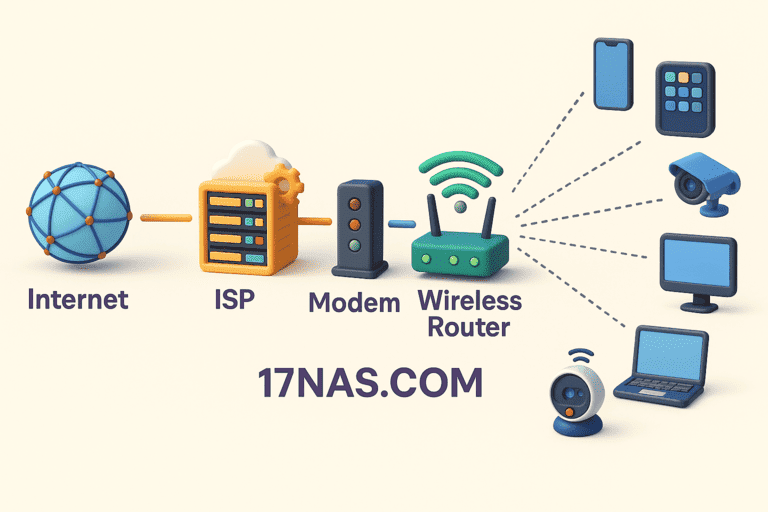
NAT Network Address Translation Diagram
Full Cone NAT
Characteristics: A single mapping reachable from anywhere. Any external server can initiate a connection to the internal host.
Best for: P2P downloads, remote desktop, online gaming, self-hosted servers
Restricted Cone NAT
Characteristics: IP address is restricted. Only IP addresses the client has already contacted may connect back to it (any port).
Best for: Most P2P apps, video calls, online gaming
Port Restricted Cone NAT
Characteristics: IP and port are both restricted. Only the exact IP and port combination the client has contacted may connect back.
Best for: Some P2P apps work; games show a moderate NAT type; port forwarding may be required
Symmetric NAT
Characteristics: Each connection gets its own mapping. When connecting to different servers, NAT assigns a different external port, which breaks P2P hole punching.
Best for: Slow P2P downloads, failed game connections, failed remote desktop; usually needs a relay server or a secure overlay network
Frequently asked questions
The questions we get asked most about this tool.